A welcome video. From you. From the second they log in.
Your client opens the portal. The first thing they see? Your face. Your voice. Your firm. Not a stock explainer. Not a generic “Welcome to our app.” A real welcome. From the people running their case.
Send us a photo. We do the rest.
Send Kayse a headshot of your managing partner. We build the welcome video for you. Zero recording. Zero editing. Zero work for your team.
Or use a branded AI avatar.
Don’t want to star in it? Use a Kayse AI avatar that looks and sounds great. Built for your firm. Always on brand.
See what the welcome looks like
Watch Adam Pulaski from The Pulaski Law Firm welcome his clients in the Kayse Client Portal.
Adam Pulaski • The Pulaski Law Firm
This is what your clients could see when they log in.
Why this matters to your firm
The first 60 seconds in your portal sets the tone for the whole case. A cold, generic portal feels like a DMV website. A portal with your face on it? Now you’re a real human firm.
Feel cold. Generic. Like a DMV website.
Clients log in. They see a plain dashboard. No face. No voice. No personal touch. They feel like a case number, not a person. Then they stop logging in. They start calling your team for status. Or worse, they go quiet.
Feels personal. Like a real firm that cares.
Clients log in. A welcome video plays. Your firm’s name. A real face or branded AI avatar. They feel seen. They feel safe. They trust the process. That trust shows up in everything that happens next.
They trust your updates and make fewer status calls.
They complete forms, so you collect documents faster.
Their 5-star reviews become word-of-mouth marketing for your firm.
They refer other clients to your firm.
They stay engaged through long mass tort timelines.
That feature can protect revenue.
A welcome video costs you nothing. The lost cases from clients who feel forgotten? That bill is huge.
Everything other legal portals have. Plus more.
The basics matter. Your clients need to track their case, message your team, and upload documents. Kayse does all of that. And it does it better.
Welcome video on sign-in
Your managing partner OR a branded AI avatar. Plays the second they log in.
Real-time case status
Clients know what happened and what comes next, which cuts down on 'any update?' calls.
Secure two-way messaging
Your team and your clients talk safely. Push notifications keep everyone in the loop.
24/7 AI assistant
Answers common client questions at any time of day while your team is offline.
Self-serve doc uploads
Clients upload from a phone or laptop, complete forms, and keep cases moving.
Task checklists & next steps
Clients know exactly what to do, when to do it, and why it matters.
7+ outreach channels
In-app, SMS text, email, social DM, voice AI calls, and even mailed letters.
Personalized legal videos
Videos built around your firm's practice areas reduce repeated questions for your team.
iPhone, Android, and web
Works on every device. No app download required if your clients don't want one.
See the full portal in action
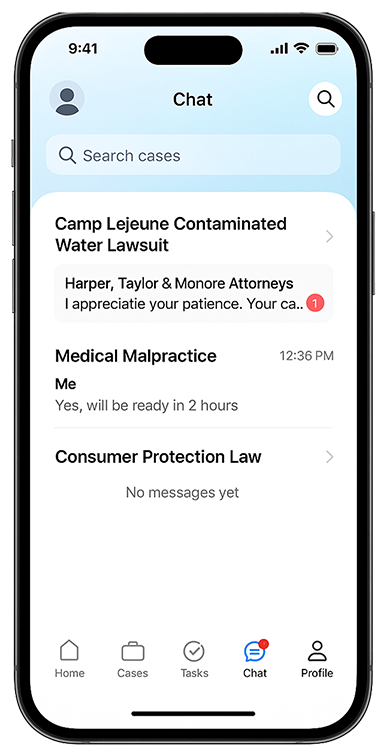
Watch a mobile walkthrough of the Kayse Client Portal, including the welcome video, case updates, and messaging.
Kayse Client Portal • Mobile walkthrough
The walkthrough takes 60 seconds and does not require a demo call.
What makes Kayse different
Other legal portals stop at status updates and messaging. Kayse also connects the portal to outreach, welcome videos, and AI assistance.
A standard dashboard shared across firms.
A standard portal can show status and messages, but it may not reflect the firm or welcome clients when they sign in.
Leads with your face, your firm, and your welcome.
The portal gives every client a place to check status and feel connected to a real firm that cares.
7+ ways to reach your clients
In-app, SMS text, email, social DM, voice AI calls, mailed letters, and in-person visits when needed. Kayse reaches clients on the channels where they are most likely to respond.
Works without an app download
Clients who do not want another app can log in from a web browser and use the same portal.
Plugs into your CRM
Connect Litify, Law Ruler, SmartAdvocate, Salesforce, or another system through webhooks without changing the client workflow.
The side-by-side
Compare the features Kayse publishes with common legal client portal features.
| Feature | Other Client Portals | Kayse |
|---|---|---|
| Branded client portal | ||
| Real-time case status | ||
| Secure messaging | ||
| Document upload | ||
| Push notifications | ||
| Personal welcome video from your managing partner | ||
| Branded AI avatar welcome video | ||
| AI Assistant answering client questions 24/7 | Partial | |
| 7+ outreach channels including voice AI calls | ||
| Works without app download | Limited | |
| Personalized legal videos by case type | Generic | |
| Plugs into outbound campaigns for dormant cases |
Branded client portal
Real-time case status
Secure messaging
Document upload
Push notifications
Personal welcome video from your managing partner
Branded AI avatar welcome video
AI Assistant answering client questions 24/7
7+ outreach channels including voice AI calls
Works without app download
Personalized legal videos by case type
Plugs into outbound campaigns for dormant cases
Competitor feature comparisons based on publicly available information about other legal client portal software as of May 2026. Features and capabilities may change.
Trusted by the firms that lead plaintiff law
Leading plaintiff firms across the country run their client experience on Kayse. The welcome video above is from Adam Pulaski. More than 20 other plaintiff firms and legal marketers in the US also use Kayse.
100%
Customer retention over nearly two years
Every law firm that subscribed to Kayse during this period remained a paying customer.*
Stop sending your clients to a portal that looks like every other firm’s.
Welcome clients with your managing partner's face on screen, then give them one place for updates, messages, and resources.
* Refers to Kayse’s own customer retention rate. 100% of law firms that have subscribed to the Kayse platform remain active customers as of April 2026. This is not a guarantee of any specific outcome for a law firm’s individual clients or cases.
Competitor feature comparisons are based on publicly available information about other legal client portal software as of May 2026. Features and capabilities may change.